UX Design, Graphic design
the problem
Pain Points
The user flow does not guide the user through the process to help them be successful in creating their schedule. The user must figure out the flow themselves.
The user flow does not make it clear how to add an action to the schedule
The user has limited options for scheduling their device. For example, they can only choose a colour palette (scene) for their devices
Information is unnecessarily hidden in the "choose action" part of the flow
Deleting a schedule is not intuitive and is not using common behavior in the Nanoleaf app
User cannot see what color they have selected in the schedule list
Circadian rhythm and sunrise/sunset features are separated from the scheduling feature
The user must create two separate schedules to turn a device on and off
The hidden main menu text makes it difficult to find schedules in the app - the icons alone are not intuitive
The main menu behaviour is disorienting for the user since it shifts the icons changing their location and making wayfinding more difficult.
proposed user flow
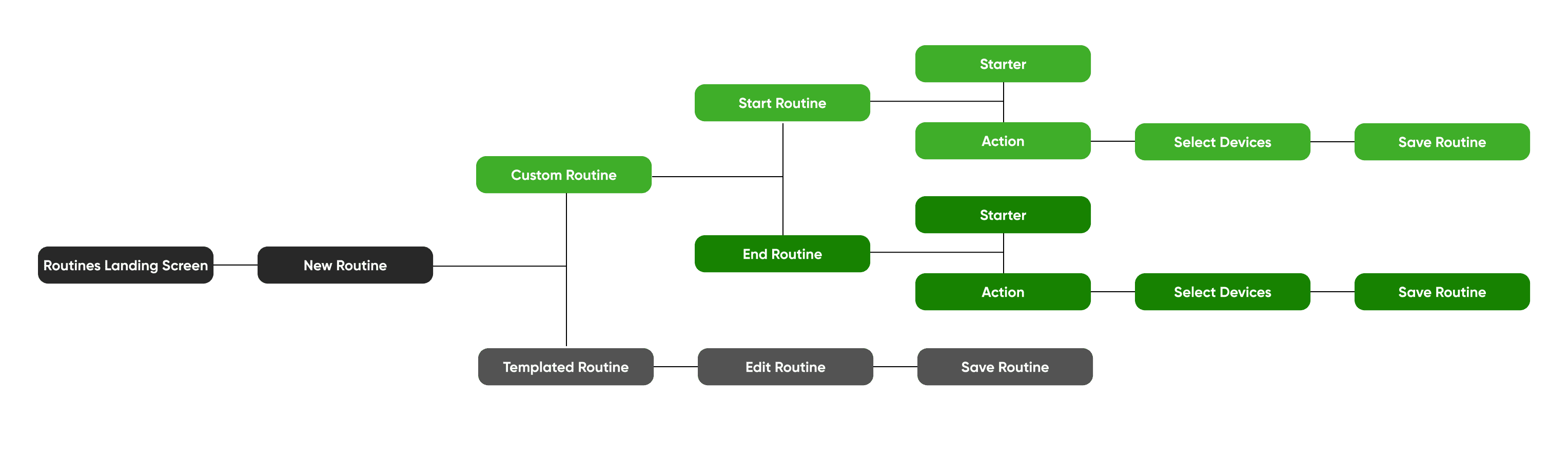
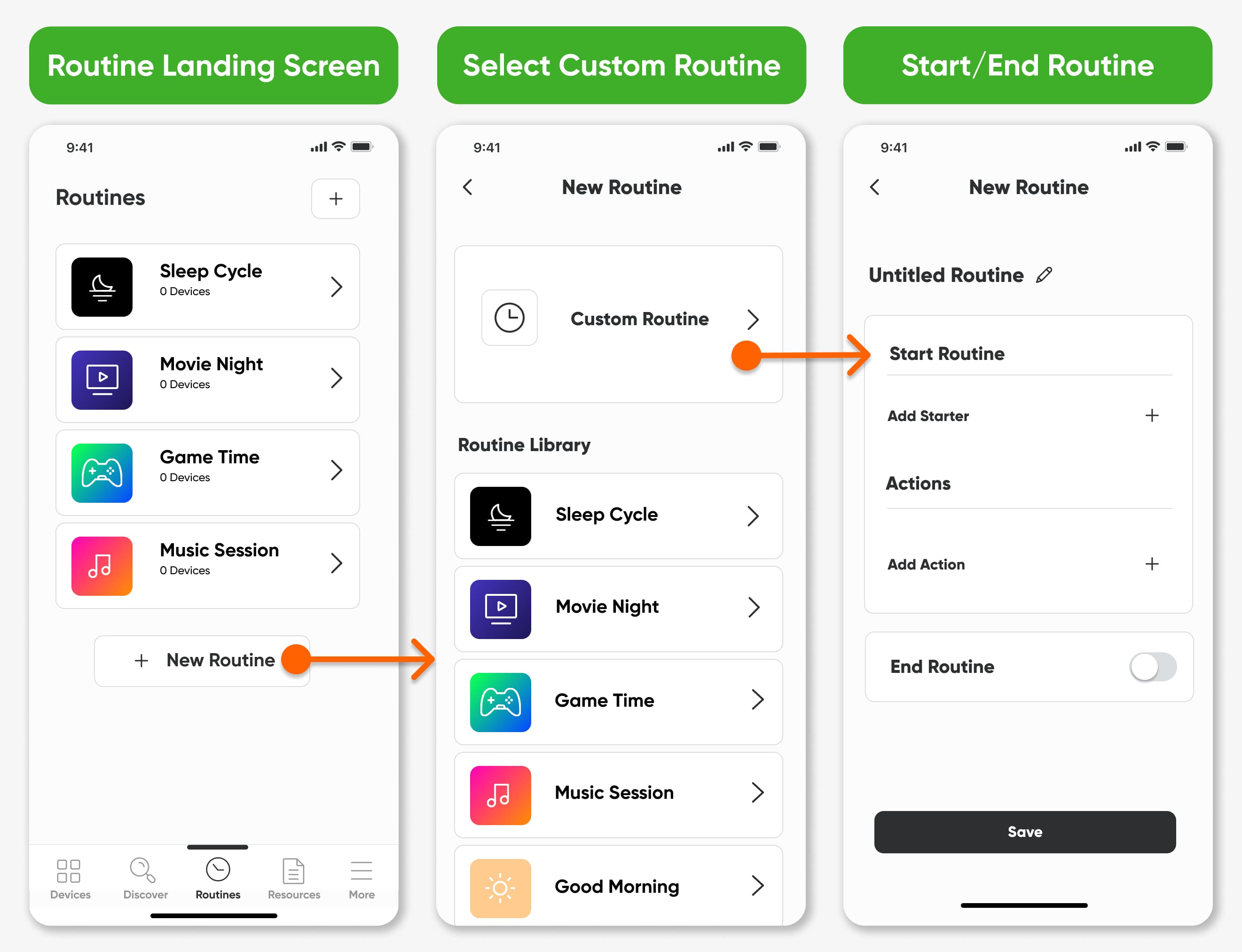
templated routines
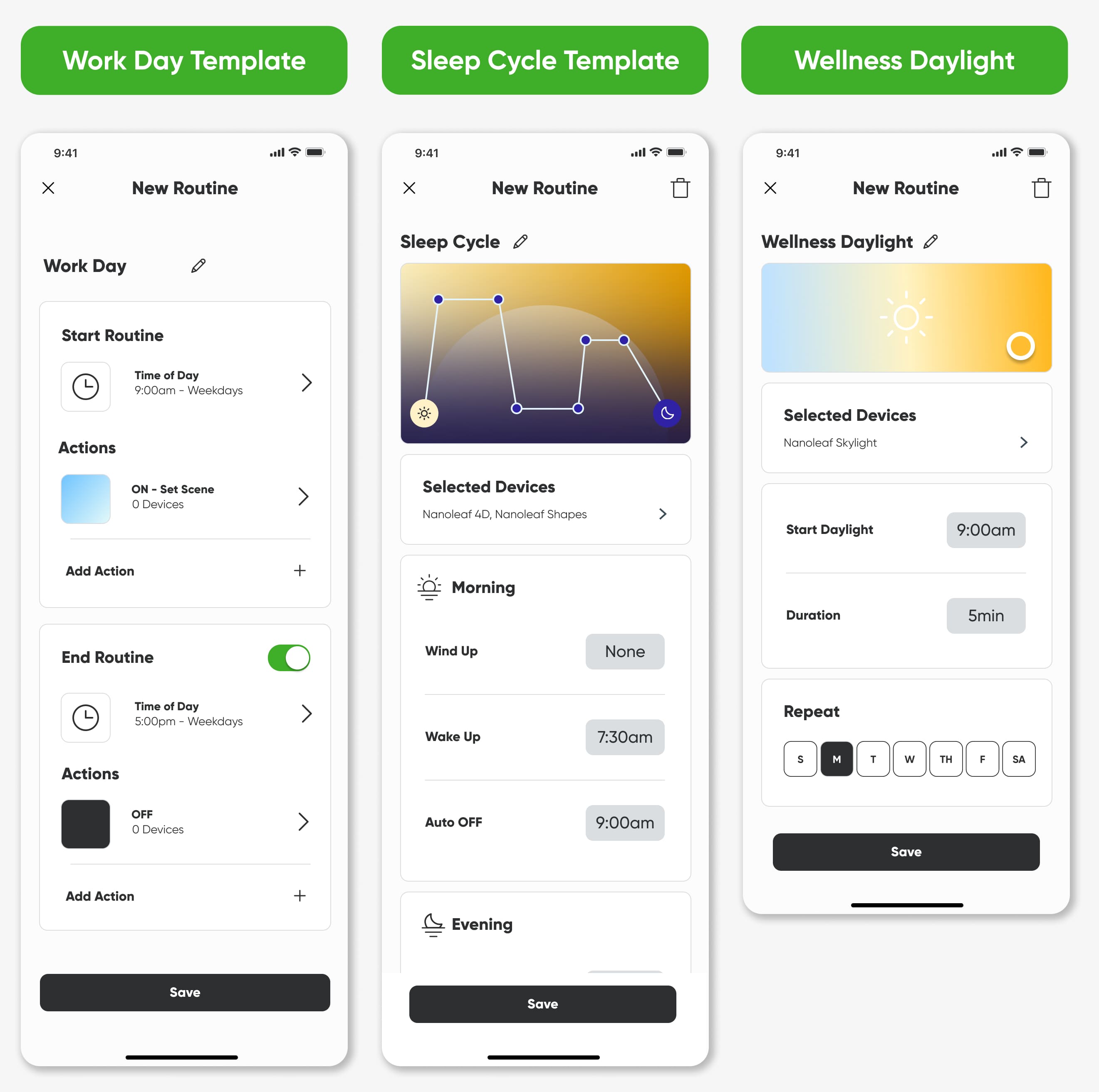
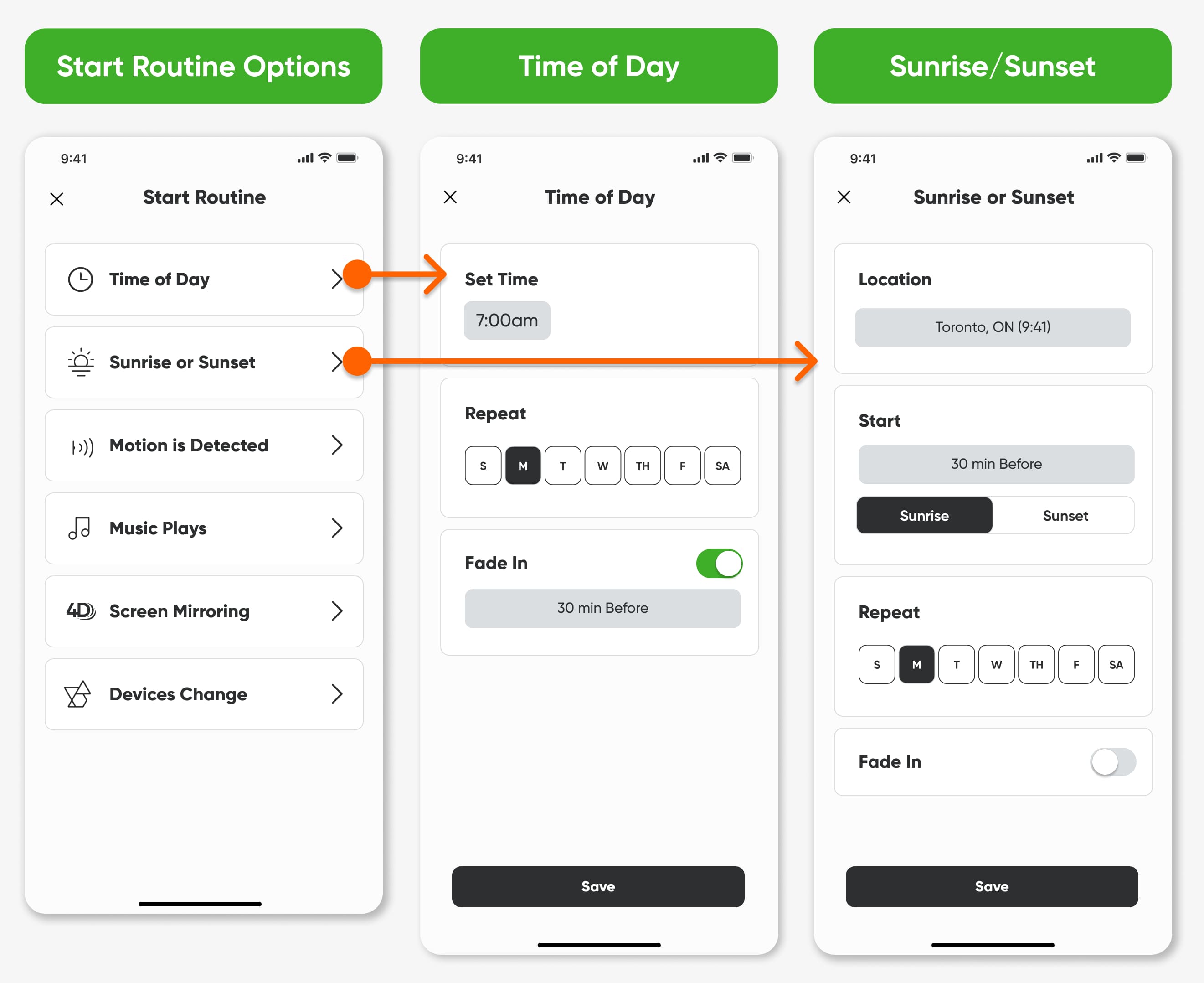
starters
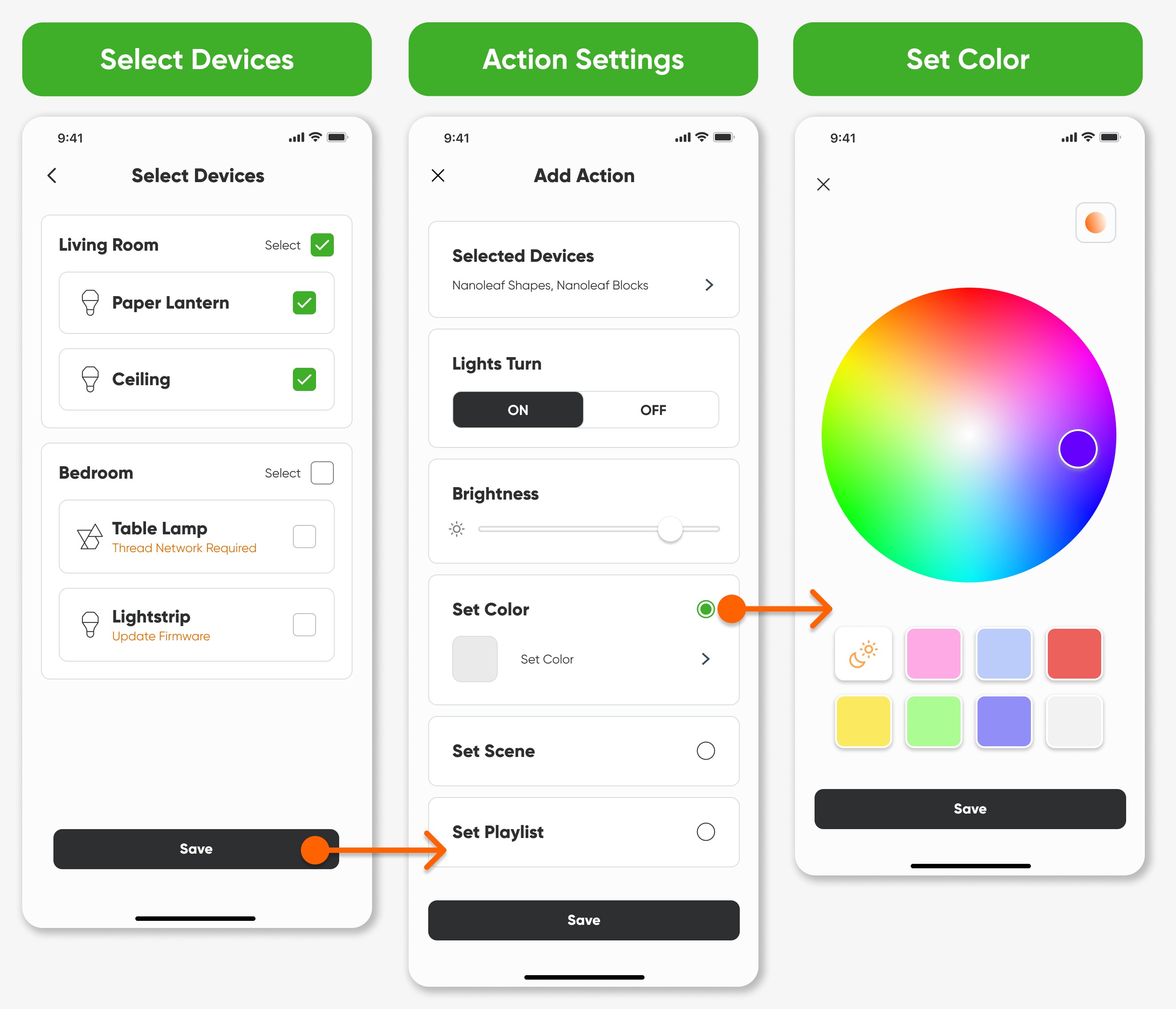
actions
refinement
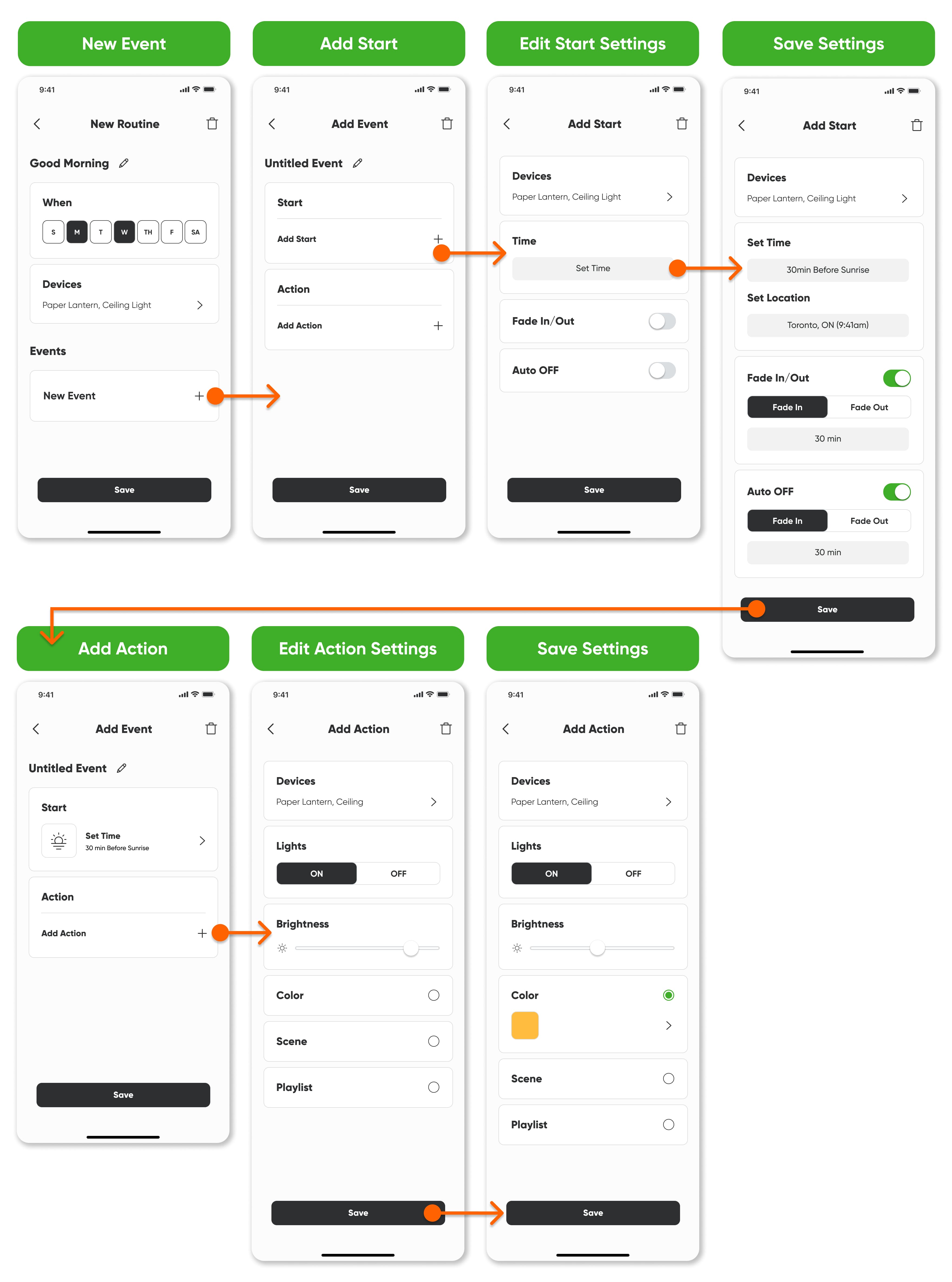
events were created
final user flow
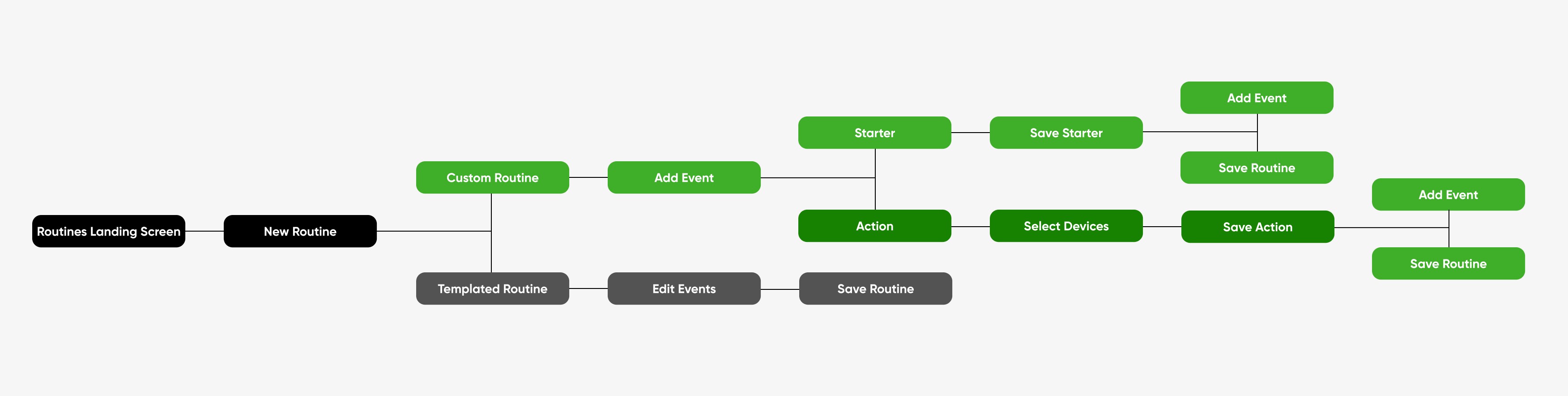
custom routines
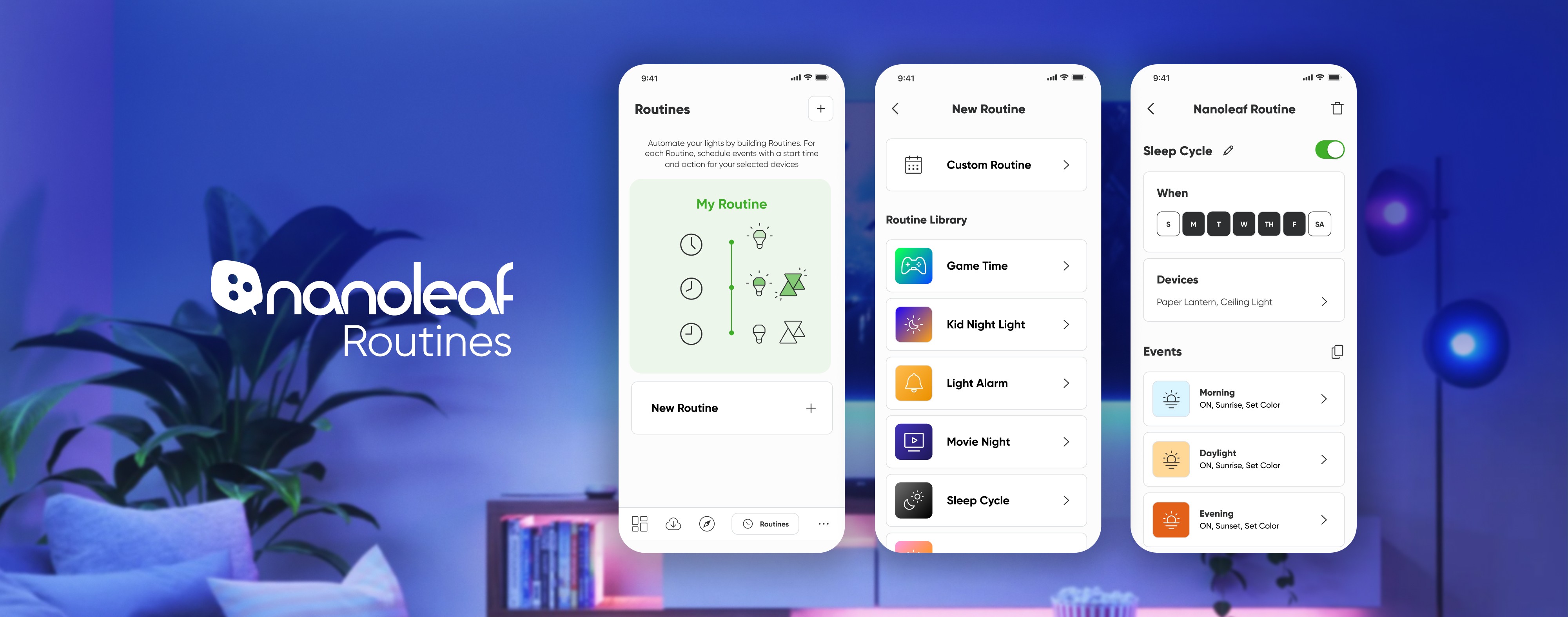
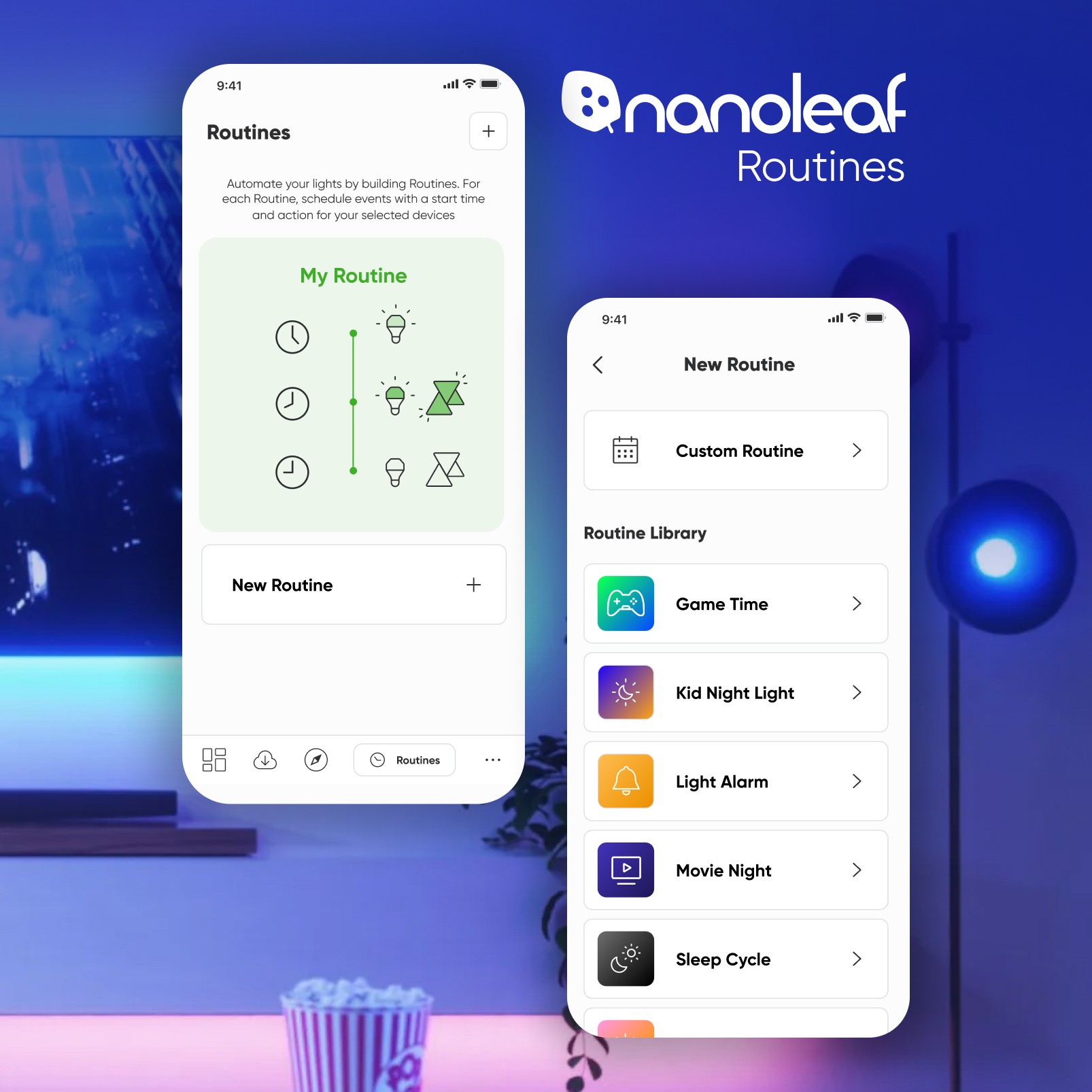
Custom routines allow the user to create their own customized schedules for their lights. Within each routine the user can add events, each with their own starter and actions. In the final flow a graphic was added when the user has not yet created a routine. This graphic was used as an opportunity to educate the user on how routines work, by adding events with starters and actions.
starters
The number of starters was simplified to three options: time, sunrise, and sunset. These options were the only ones within scope of this project, but the exploration of the other starters is available in the future. In the previous iteration these options were a multi-screen flow, but in the final iteration these options were condensed to one screen with tab options. This simplifies the flow for the user and provides all the options on one screen. All of the alternative options are provided in the action part of the flow or were removed (e.g. device selection).
actions
An improvement that was made from the previous iteration was that users must add their devices for each action. We tested out having the device at the routine level, so each event would automatically have the same devices assigned. This became difficult to understand from a user experience perspective, especially if we gave the users the ability to remove devices at the event level. The goal was to give the user flexibility to change which lights are on/off or the colours they illuminate, so even though it was more effort to add a device for each action, it was simpler to understand while also giving the users flexibility. It was also more challenging to successfully implement adding devices at the routine level from the developer's perspective.
save event and routine
When the user has completed all of their actions they save and name their event. Then they are able to add more events or save and name their routine. The routine will appear in their routine list where they can easily turn it on or off with a toggle.
templated routines
For the final flow ten templates from the explored options were selected. All of these templates use the same functionality as a custom routine. The templated routines are available in the routine library and can also help educate the user as to how they can create their own custom routines. Some of the templates have multiple events within them. Some templates have only one event that includes multiple actions. This shows users the capabilities of routines so they are able to create their own if they choose. In addition, the templates also give users a simple way to create a routine for common use cases.